
Godot 4.7 has arrived, continuing a development phase that began with the previous release and now focuses on polish, quality-of-life improvements, tighter integration of industry standards, and performance optimization.
Highlights of this release include the addition of high dynamic range (HDR) support, described by the team as likely the poster child of this update. Although the engine has long rendered 3D scenes internally in HDR, as well as 2D scenes when enabled in the Project Settings, HDR output has now been added to take advantage of this internal rendering process, enabling images that preserve a wider range of brightness levels and retain more detail in bright areas.
HDR output can be enabled through a project setting and is supported on Windows, macOS, Linux (Wayland), iOS, and visionOS when using the Forward+ or Mobile renderer with the required rendering drivers. Android and Web are currently the main omissions, although Android support is planned for a future release. Note that a compatible display is also required on desktop.
The rendering side sees several significant improvements, including the addition of rectangular area light sources (AreaLight3D) and nearest-neighbor scaling for 3D viewports. This enables 3D titles with pixel-art aesthetics or lower-resolution scaling to look crisp without any performance penalty. The update also introduces a DrawableTexture implementation that enables drawing directly on textures.
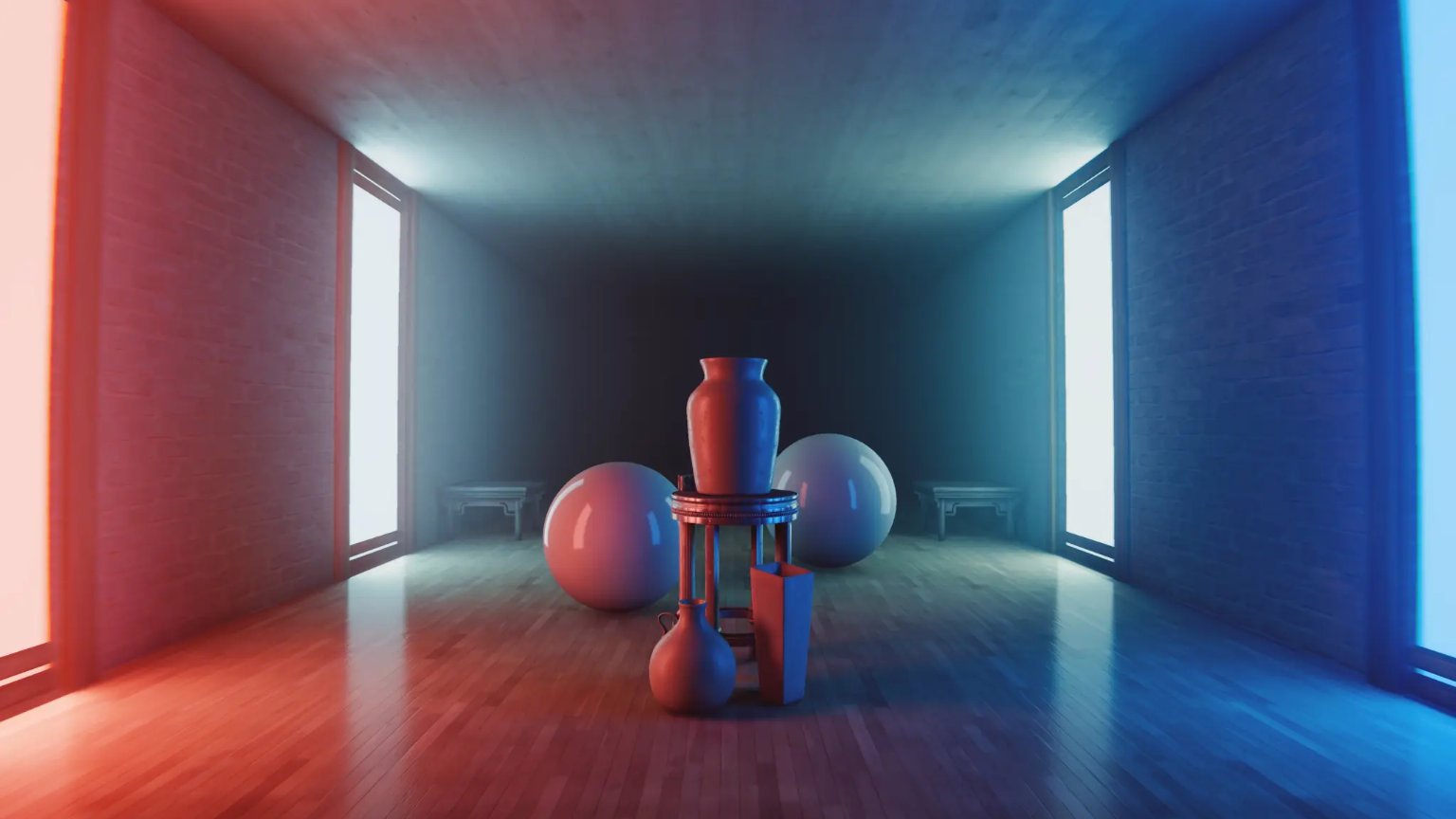
Rectangular area light sources (AreaLight3D).
Another major area of focus has been the editor. Highlights include Path3D snapping and vertex snapping support. The former enables paths to snap to the collider currently under the mouse cursor, while the latter is particularly useful for nodes with a mesh-based representation, enabling the selected node to snap to nearby vertices for easier level design.
A further quality-of-life improvement is the ability to copy and paste data from entire sections and categories in the inspector, instead of having to copy data from individual segments of a property and paste them one at a time.
Property copy/paste.
The editor gains the ability to view and reload installed GDExtensions, alongside a new Scene Paint tool for easy placement of objects in 2D scenes and a new MeshLibrary editor. The update also introduces several visual refinements, such as the use of monospaced fonts for code names, improvements to how arrays are displayed in the inspector, and the display of class names in remote scene trees. This release also sees the integration of the new Asset Store into the editor, replacing the Asset Library.
Scene Paint tool.
Mobile platforms have received a number of improvements. One of the standout additions is a built-in solution for handling touchscreen "joystick" inputs. Android received the most attention, with projects now able to run in a small picture-in-picture (PiP) window pinned to a screen corner. For those using the Godot editor on Android, there is now the ability to switch to portrait mode while in the script editor, while the embedded game window can be resized and repositioned freely.
Touchscreen virtual joystick.
Various smaller additions help further refine the user experience. These include the ability to collapse animation track groups, the addition of a vertical parental chain indicator when moving nodes via drag and drop in the scene tree, and the ability to search within popup menus.
Collapse animation track groups.
Other improvements include Tweeners that can now await a specific signal before performing their actions, enhancements to one-way collision detection in 2D, and the addition of transform offsets for Control nodes. Export template downloads have also been improved, while compilation times have been reduced for those who need to build the engine directly. Finally, the addition of inline previews for text shaders rounds out this release.
The above is just a summary of what's new in Godot 4.7. For the complete list of new features and improvements, be sure to check out the official release page.