

Outliner Model Preview is a free Blender add-on that provides an animated 360-degree preview of the selected object directly within the Outliner. It is an interesting and useful tool for quickly inspecting objects from the Outliner itself, and it was created by Blender extensions developer Shuimeng.
The developer has explained that the original intention was to display previews automatically when hovering over objects, but technical limitations during development prevented this from being implemented. As a result, previews initially required clicking on objects. A recent update improves on this behavior by introducing a “Hold Alt to Preview” feature. By pressing and holding the Alt key, previews are enabled while hovering over objects in the Outliner, offering a faster way to browse scene contents.
Additional features include support for previewing Curve objects, the option to keep the add-on enabled between Blender restarts, and customization of the preview window's position relative to the mouse cursor. These options allow users to adjust the add-on to better fit their workflow. The shading algorithm has also been improved, reducing moiré patterns on high-polygon meshes and resulting in a smoother, more natural appearance.
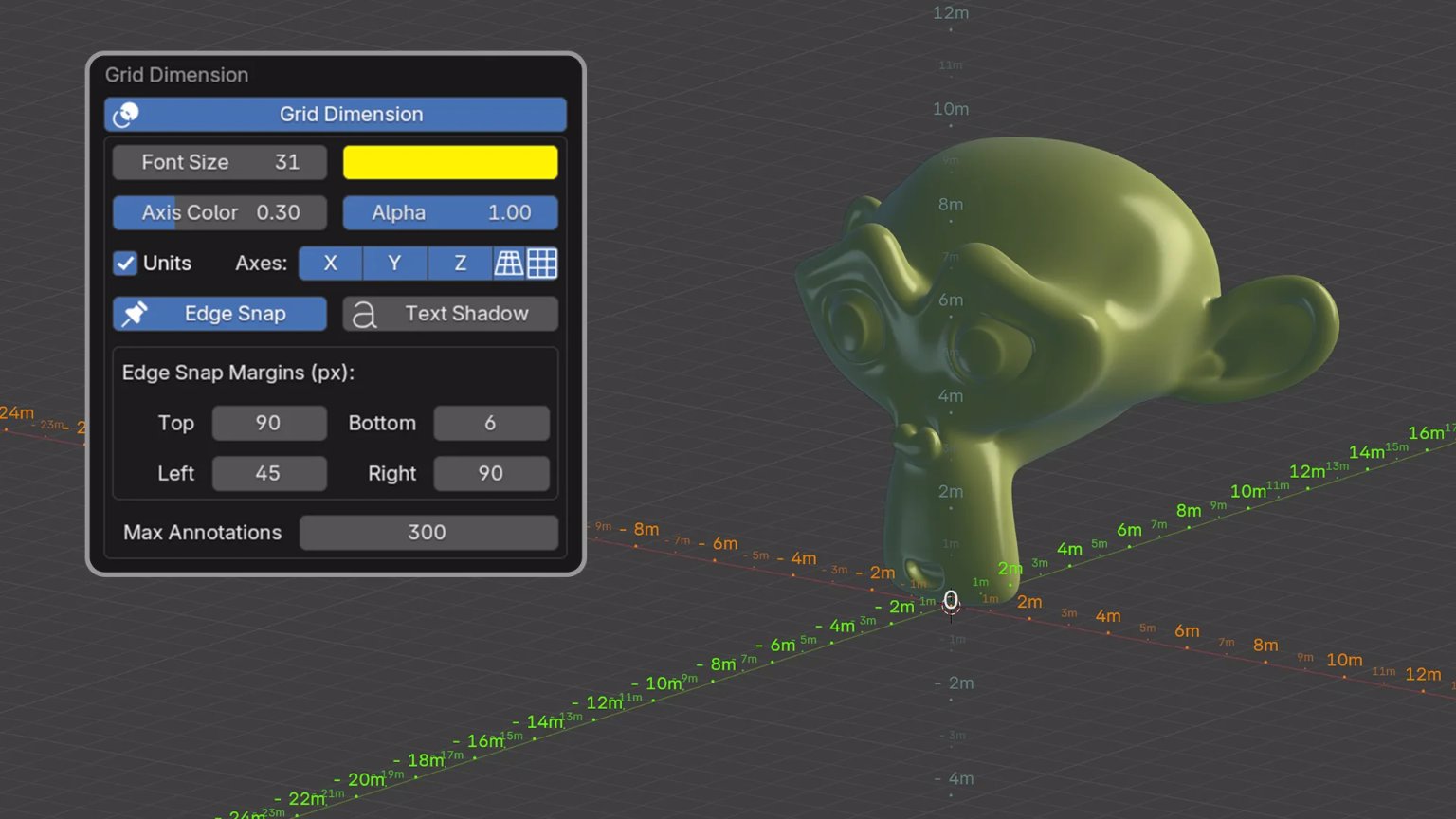
In addition to Outliner Model Preview, Shuimeng has released other Blender extensions worth noting. One recent example is Grid Dimensions, which adds scale markings to the viewport grid, making it easier to read the scale of a scene. The developer also maintains a Discord server where users can get help with the add-ons and share feedback.
Outliner Model Preview is compatible with Blender version 4.2 and newer and is available on Blender's official extensions platform.