ZBrush 2026.1 is now available on both desktop and Apple's iPad. This release is part of Maxon's December Maxon One update, which introduces improvements across the Maxon product lineup, including Cinema 4D, Redshift, ZBrush, and Red Giant.

According to Maxon, the 2026.1 update of ZBrush has been shaped by user feedback, with a focus on delivering features artists have specifically requested, adding substantial improvements to the sculpting and character workflow.

New in this release is the Retopology Brush, a feature that can be used to optimize meshes for animation and real-time engines. The update also introduces new Retopology Smoothing brushes, and it is now possible to create tabs in the IMM Viewer for Retopo Patches, IMM, NanoMesh, and VDM brushes. Another addition is User Profile Folders, which help integrate ZBrush into studio workflows and enable smoother pipeline setups across multiple artists or locations.

What’s New in ZBrush 2026.1 and ZBrush for iPad 2026.1

The Retopology Brush, Retopology Smoothing brushes, and the new IMM Viewer tab functionality are available on both desktop and iPad. User Profile Folders are currently available on the desktop version of ZBrush only.

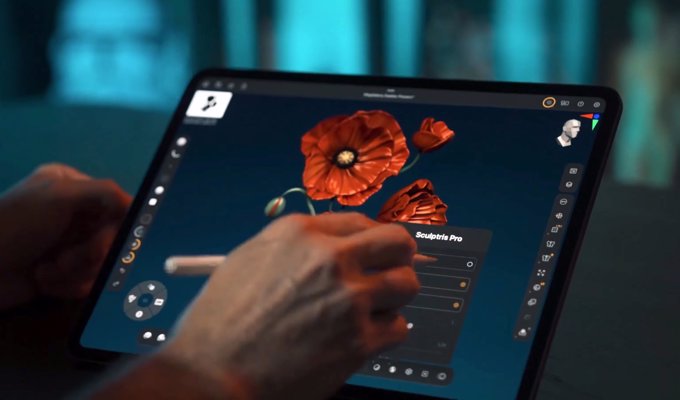
On iPad, one of the key additions is support for photogrammetry, which allows users to turn real-world captures into editable 3D meshes using the built-in camera. A new Capture button is available below New Sculpt when launching the ZBrush app. Selecting this option starts the capture workflow, where users can position adjustable visual guides around the object to be scanned.

Once the setup is complete, ZBrush automatically takes a series of photos, showing a visual indicator of progress as each image is captured. These images are used to generate a point cloud that forms the basis of the 3D mesh. Taking more photos improves the accuracy of the resulting model. When the process is complete, the result is a 3D model complete with textures, which can be further refined using ZBrush's tools. This feature is supported on iPads running iPadOS 17 or later, equipped with an A14 Bionic chip or newer, and a LiDAR scanner.

Getting Started with ZBrush for iPad - 3D Scanning & Photogrammetry

ZBrush for iPad also introduces a global quick search, making it easier to locate functions within the application. Additional updates include improved import and export options, as well as automatic saving of imported assets for reuse across projects.

For more information, be sure to visit Maxon's official website.

Blips Game Music Packs

Note: You're leaving the Blips Blog. The visited links may be subject to different privacy and cookie policies.